 StrideAuth
How to share a password without texting it
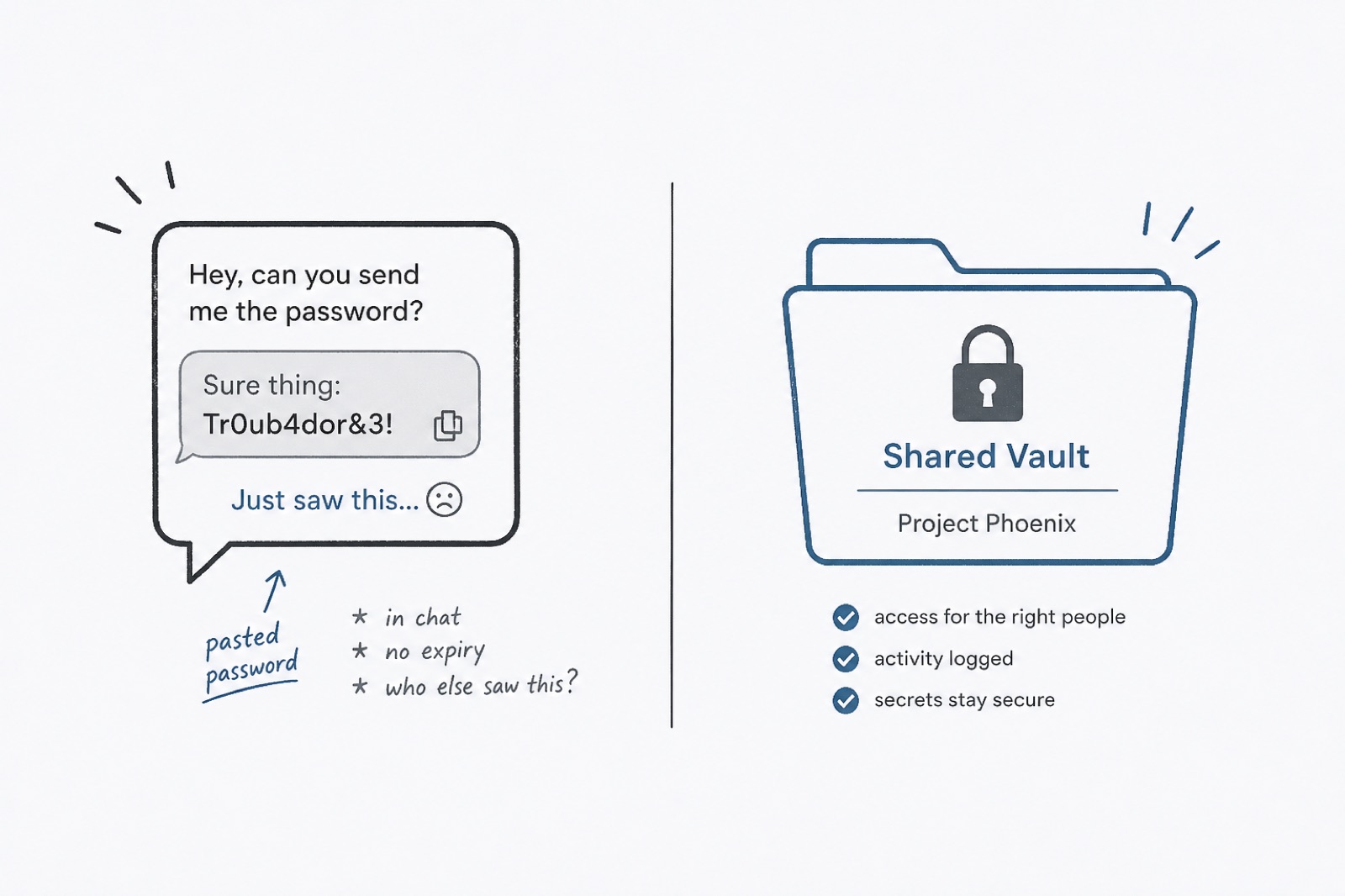
Most shared passwords still travel the same way: someone types them into a text, a Slack message, or an email. It feels fine in the moment. Later, nobody can say who still has the password, where it was forwarded, or whether it was screenshotted.
You do not need an enterprise security project to do better. You need a place that can hand someone access and take it back.
Why chat is a bad vault
- The password sits in history forever, or until someone deletes a thread they may never open again.
- People forward messages. The original sender loses track of the copy chain.
- When you change the password, the old one is still sitting in yesterday’s chat.
- Phones get lost. Old work laptops get wiped. The chat history often survives both.
A better default
- Put the login in a password manager or credential vault you both can use.
- Share that item with the person who needs it, not with a whole channel.
- Tell them where to find it. Do not also paste the password “just in case.”
- When they no longer need it, revoke their access and change the password if it was ever exposed.
If you have already texted the password, assume it is compromised for sharing purposes. Move it into a shared vault, change it, and stop using the chat copy.
What to say instead of pasting
“I shared the Wi-Fi login with you in StrideAuth. Open Shared → Wi-Fi.” That is enough. The chat can point at access without becoming the access.
When you should still change the password
- It was ever sent in plain text.
- Someone left the household, the shop, or the project.
- You are not sure how many people still know it.
Sharing cleanly does not replace rotation after a messy share. It just stops you from making the same mess again tomorrow.
StrideAuth helps individuals, families, and small teams store, share, and revoke passwords and related credentials in one place.
Create your free vault